

Overview
Audit Logs in Portkey provide a comprehensive record of all administrative activities across your organization. These logs capture detailed information about who performed what actions, on which resources, and when those actions occurred. This level of visibility is crucial for security monitoring, compliance requirements, and troubleshooting operational issues.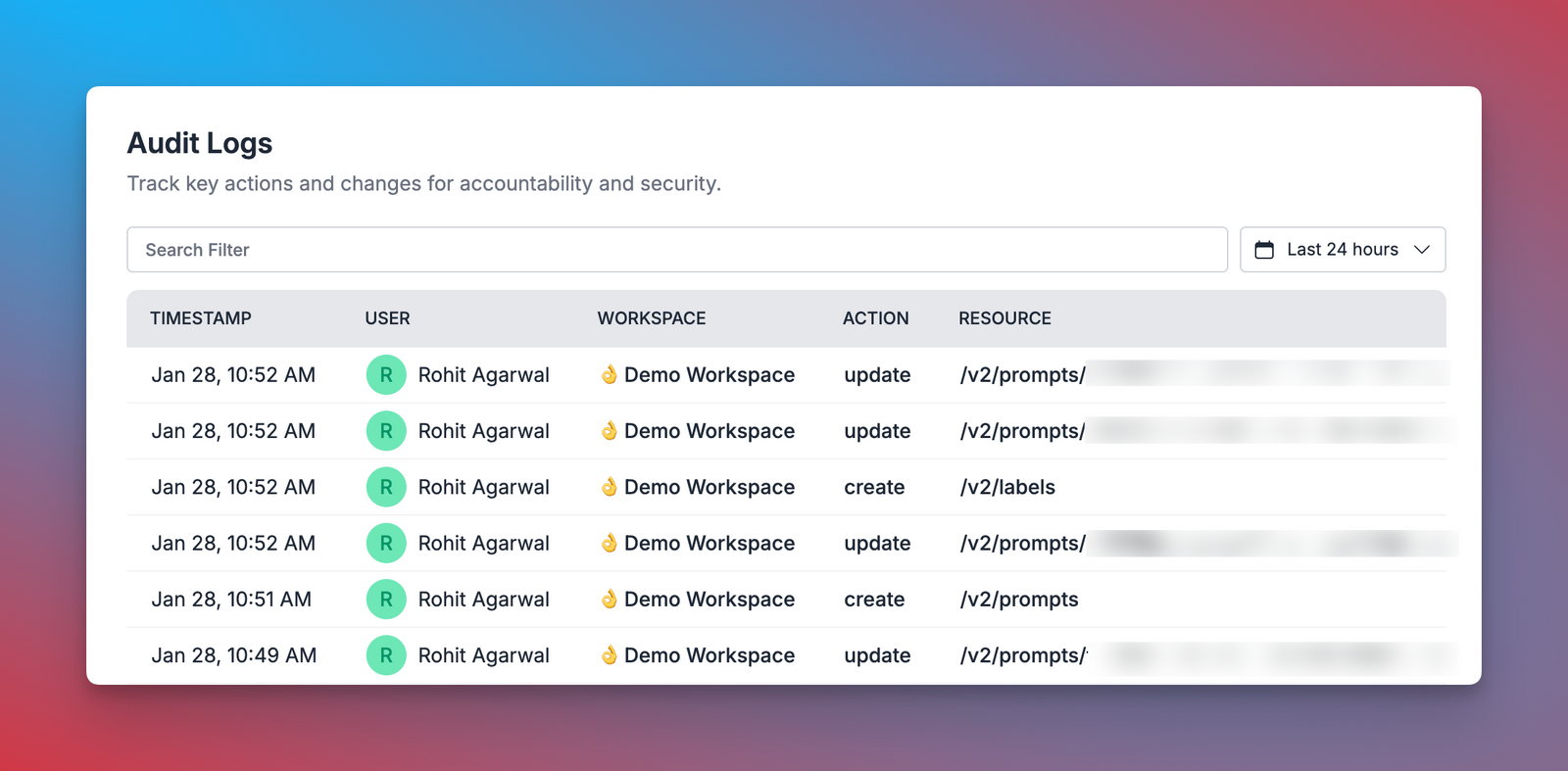
Key Benefits
- Enhanced Security: Track all changes to your organization’s resources and configurations
- Compliance Support: Maintain detailed records to help meet regulatory requirements
- Operational Visibility: Understand who is making changes and when
- Troubleshooting: Investigate issues by reviewing recent configuration changes
- Accountability: Ensure users are responsible for their actions within the platform
Logged Information
Each audit log entry contains detailed information about administrative activities:Setting up Audit Logs is straightforward:
- Access is available to org owners and admins
- Audit logs are automatically collected across all workspaces
- No additional configuration needed - just enable and go
- Access audit logs through the
Admin Settings>Audit Logspage
Filtering Capabilities
Portkey provides powerful filtering options to help you find specific audit events quickly: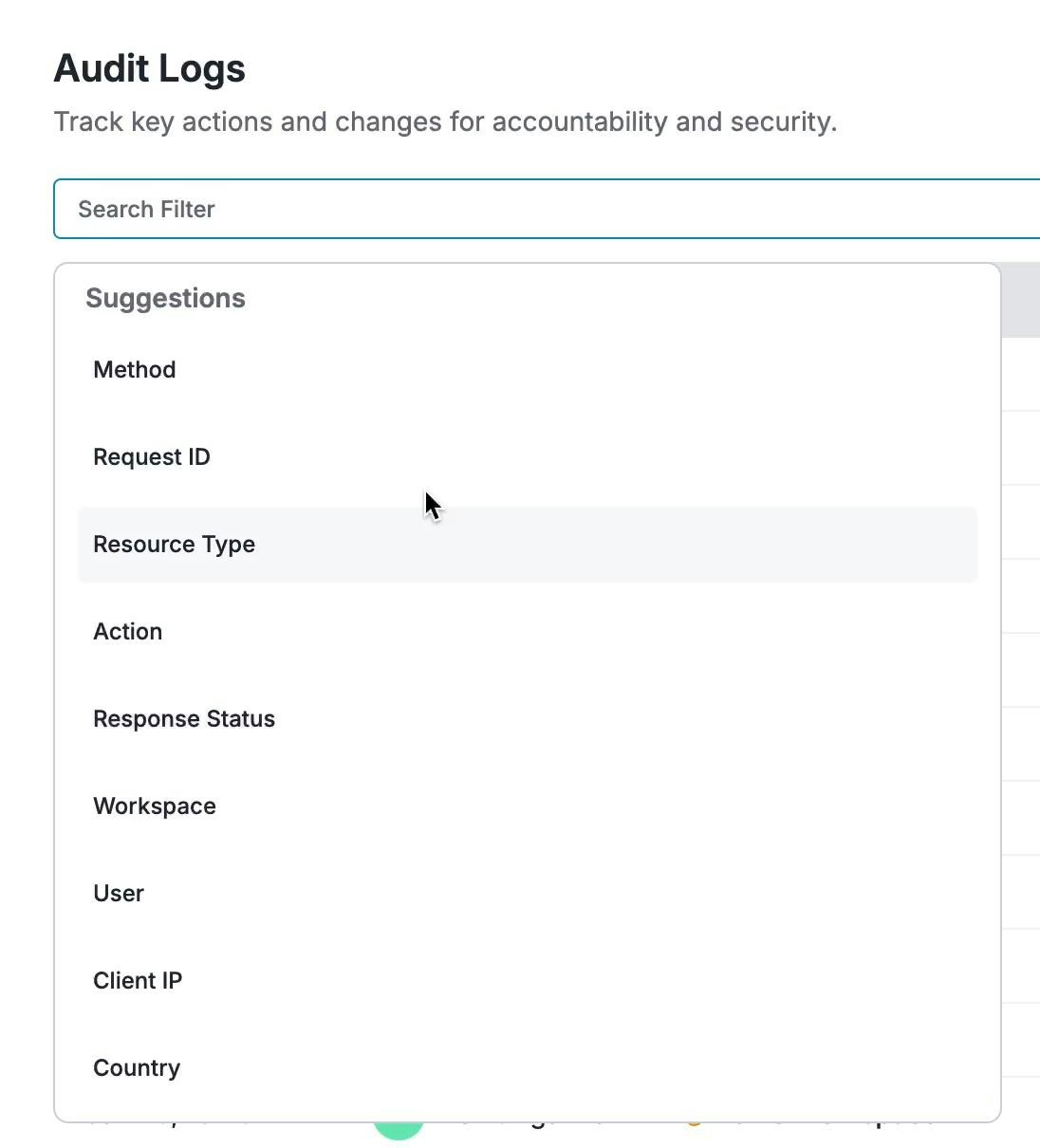
Available Filters
- Method: Filter by HTTP method (PUT, POST, DELETE)
- Request ID: Search for a specific request by its unique identifier
- Resource Type: Filter by type of resource affected:
- Workspaces
- API Keys
- Integrations
- Model Catalog
- Configs
- Prompts
- Guardrails
- Integrations
- Collections
- Organization
- Labels
- Custom Resource Types
- Action: Filter by the type of action performed:
- Create
- Update
- Delete
- Publish
- Export
- Rotate
- Manage
- Duplicate
- Response Status: Filter by HTTP response status codes
- Workspace: Filter by specific workspace
- User: Filter by the user who performed the action
- Client IP: Filter by originating IP address
- Country: Filter by geographic location of requests
- Time Range: Filter logs within a specific time period
Retrieve Entries by Request ID
To fetch audit log entries from a list of request IDs, usePOST /v1/audit-logs/bulk. See Exporting Data.
Related Features
Access Control Management
Manage user roles and permissions across your organization
Organizations
Learn about organization structure and management
Workspaces
Understand workspace management within your organization
API Keys
Authentication and authorization with API keys
Support
For questions about Audit Logs or assistance with interpreting specific entries, contact Portkey support.Schedule a Demo
Ready to bring enterprise-grade governance to your AI infrastructure? Learn more about Portkey’s Audit Logs and other enterprise features in a personalized demo.
Portkey is now PRISMA AIRS AI Gateway. See it in action.
Contact Us